

Your team's surface. Or no surface at all.
Six interfaces for the work — Assistant, Spaces, Alerts, Incidents, Dashboards, Reports. Or skip them entirely and drive everything from your own tooling via MCP.
Use the UI. Or run headless.
Same lake. Same agents. Same workflows. The Interface is one front-end among many — and entirely optional.
Vision UI — six surfaces, one workstation.
The curated experience for SOC teams. Assistant for natural-language ops, Spaces for collaborative investigation, Alerts and Incidents for case work, Dashboards and Reports for the board. AI copilot in every surface.
- Single workstation — no tool switching
- Real-time team collaboration
- AI assistance built into every surface
- Best for analysts who want the platform's opinion
MCP — drive everything from your own tools.
Skip the UI entirely. Plug Claude, Cursor, your own front-end, or your existing SOAR into LogSeam over MCP. Every workflow, every agent, every dataset — programmatic.
- Native MCP server — works with any MCP client
- Every agent and tool exposed as discoverable MCP capabilities
- Persistent agent memory across sessions
- Same governance harness as the UI
Ask anything. Get answers, with evidence.
Natural-language operations across the entire platform. The Assistant searches the lake, runs agents, produces visualizations, and explains its reasoning — inline, with every action logged.
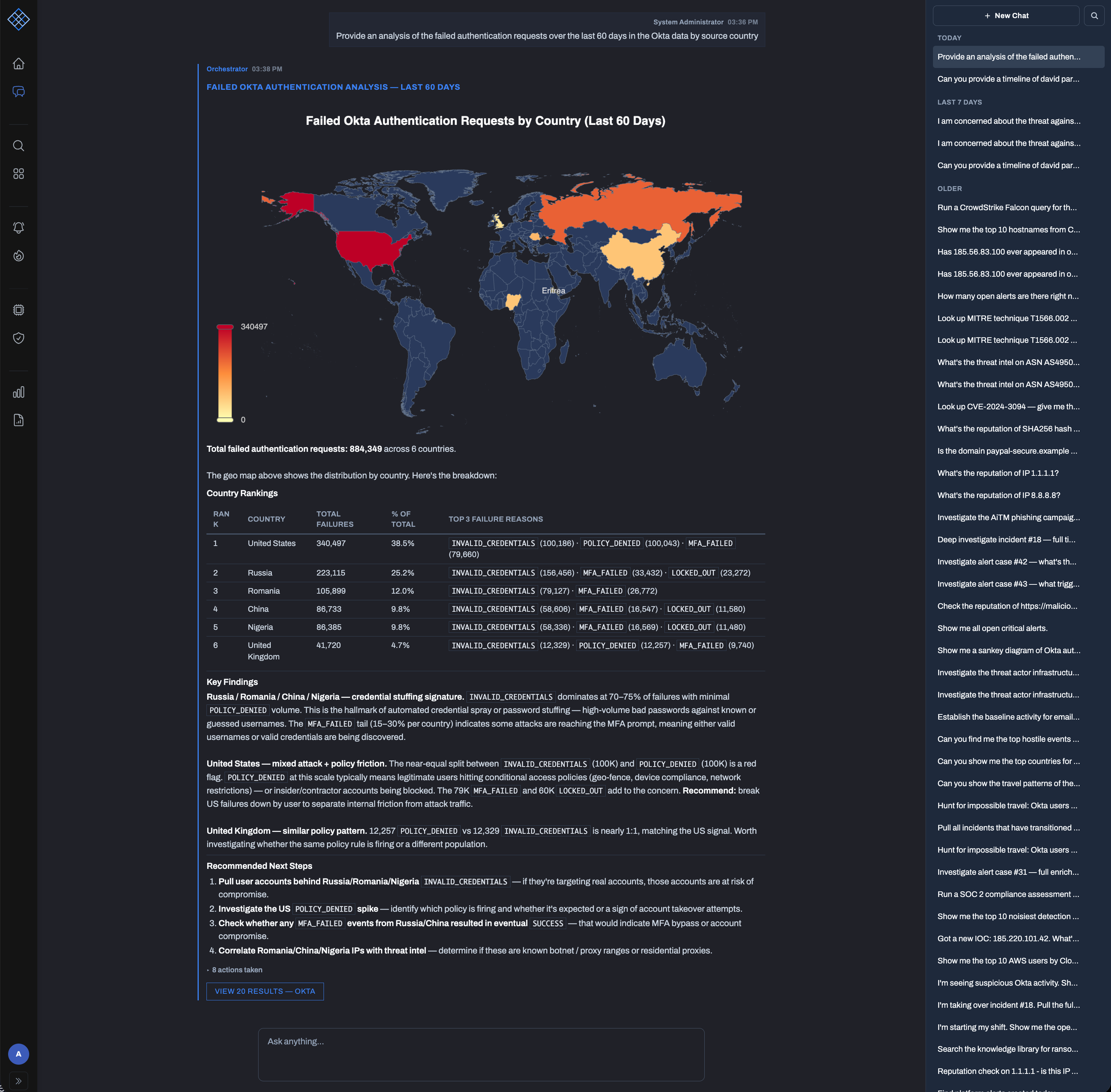
UIs designed for SOC operations.
The natural-language entry point
Question in, answer out — with the work shown. The fastest way for an analyst to ask anything across the lake.
Collaborative investigation canvas
Drag widgets, pivot data, pin findings. Your whole team works the same canvas in real time, AI copilot suggesting next steps.
Live alert queue, AI-triaged
Every alert pre-assessed by the Triage agent with verdict, IOCs, and source logs. Seconds for triage instead of minutes.
NIST IR-guided case management
Five phases, timeline tracking, evidence management, IR agent in every phase. The whole team works the incident together.
Live SOC operations
Real-time metric cards, charts, alert timelines. Multiple dashboards per team, AI chat per board.
AI-generated, board-ready
Executive, compliance, incident, and technical reports — generated from the lake, exported to PDF or HTML.
Your data has the answer. Find it fast.
Search, investigation, collaboration, and AI on one screen — instead of toggling between six tools while the attacker moves.
- natural language → SQL translation
- full SQL: CTEs, window functions, aggregations
- query history and saved queries
- 16 widget types from data to analysis to planning
- infinite canvas with zoom, pan, drawing tools
- connect widgets: data flows and dependencies
- templates: Phishing Triage, Lateral Movement, Malware
- 23 specialized investigation tools
- "What should I look at next?"
- live cursors, presence, concurrent edits
- auto-generate investigation plans
View your operations.
Real-time dashboards for the SOC floor. AI-generated reports for the CISO, the auditor, and the IR team — without spending two days on prep.
- 40+ pre-built widget types
- custom SQL widgets against any data
- per-board AI chat — "why did volume spike?"
- multiple dashboards per team, auto-refresh
- executive: alert volume, MTTR, top threats
- compliance: SOC 2 / ISO 27001 / HIPAA evidence
- analyst action audit trail
- strategic recommendations from the data
- incident: 80% of work already captured by close
- technical: rule perf, FP rates, ATT&CK coverage
- custom: mix sections from any report type
- export to PDF or HTML
- Detection mode: techniques observed in real alerts
- Coverage mode: detection gaps by tactic / technique
- Investigation mode: ordered attack chain visualization
The Interface is one front-end among many.
Whether your team uses the Vision UI or drives the platform headless via MCP, you're working on the same lake, the same agents, the same workflows. The Interface doesn't lock you in — it's a surface, not a tax.